
How to Search the Rocky Mount Court Docket
One city, two counties. That is the first lesson in any Rocky Mount court docket search. Skip the city name. Read the citation, the case assignment, or the county field instead. For an Edgecombe case, open the North Carolina eCourts Portal, pick Edgecombe in the location filter, and use Smart Search. That pulls the public Case Summary, also called the Register of Actions. The city runs no separate municipal docket.
- Open Portal and begin with a case number or party name.
- For a Rocky Mount result, limit the search to Edgecombe when the record belongs on the Edgecombe side.
- Open the Case Summary and read the case, assignment, events, hearings, disposition, and financial blocks that are present.
- Use Search Hearings for the current location and time, then compare it with the Edgecombe criminal calendar when appropriate.
- If the record is absent, old, restricted, or needs certification, contact the Edgecombe Clerk of Superior Court rather than a city office.
Note: The city name is context only. The county listed in the court record decides which Edgecombe search route applies.
Rocky Mount Court Docket County Check
The state's July 2024 estimate put 15,375 residents in Rocky Mount's Edgecombe portion. Most of the city's population lives in Nash County. That split matters for court records, not just trivia. Either county can hold a Rocky Mount court docket. It depends on where the case was filed or charged. An Edgecombe case number ending in -320 is a helpful clue. The full number and the assignment still make the better guide.
Rocky Mount boundary check: One city can produce court records in two county systems. Confirm Edgecombe before calling the Edgecombe clerk or visiting the Rocky Mount Judicial Center.
Read the Portal result before trusting a Rocky Mount street address. Not every result is an Edgecombe Clerk record. A different county code gives it away. Checking this first avoids a common dead end. It also keeps a Rocky Mount court docket search pointed at the right office. The state documents how it splits municipal populations across counties in its North Carolina municipal distribution source.
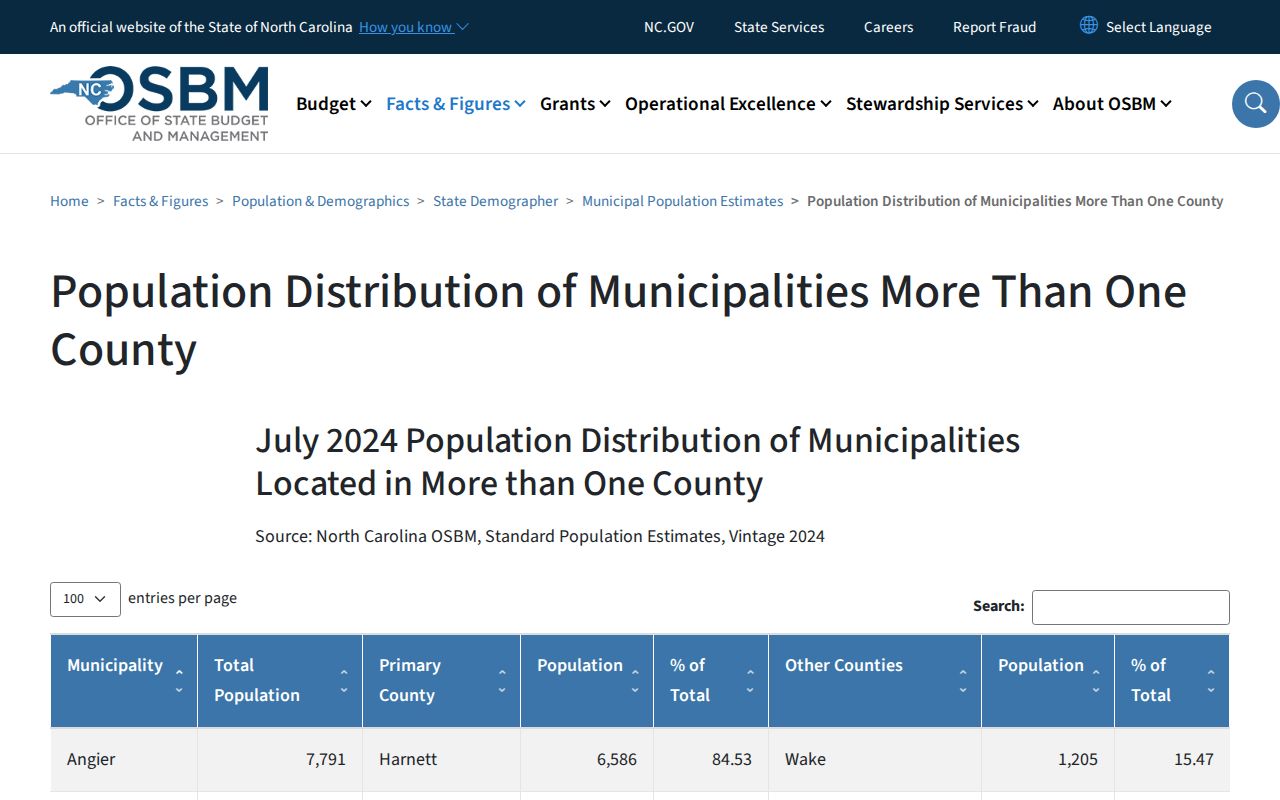
The takeaway is simple. City identity and county court jurisdiction are two different things.
The Rocky Mount Municipal Court
The city has no municipal court. It has no city case search, no municipal traffic calendar, and no city ticket-payment portal. When a Rocky Mount court docket matter enters state court on the Edgecombe side, it goes through Edgecombe District Court and the Clerk. District Court takes misdemeanors and traffic infractions. A felony or qualifying civil case may land in Superior Court. A missing city portal does not mean the case is missing.
City Hall and the Police Department are city contacts, nothing more. The court file sits in the state court system. So do the Case Summary, hearing record, and clerk-certified copies. Police Records or the Traffic Unit can answer an enforcement question. Neither is a source for court dates, dispositions, or a Register of Actions. For the city-agency side of that line, see Rocky Mount Police information.
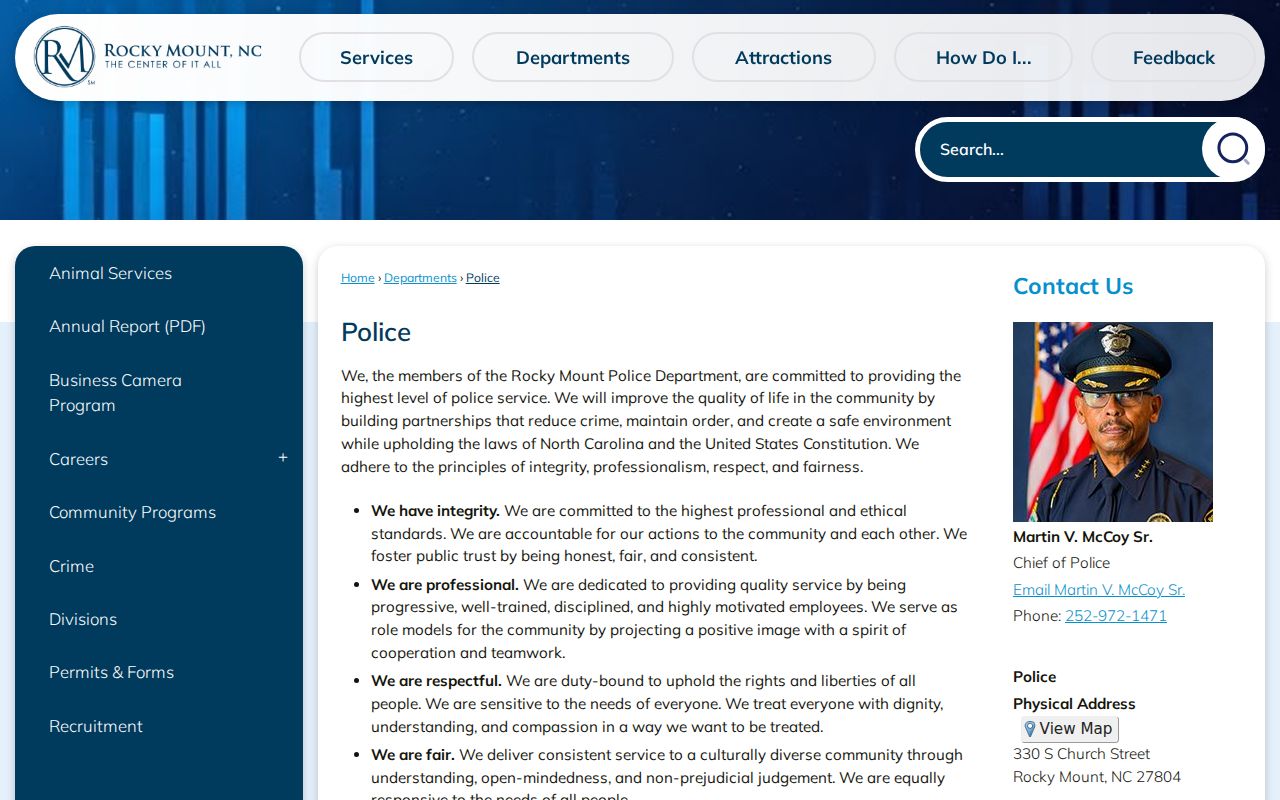
The agency that writes a ticket and the office that keeps the docket are not the same. That distinction is the point here.
Rocky Mount Judicial Center Court Records
The Rocky Mount Judicial Center at 305 Cokey Rd., Rocky Mount, NC 27802 is an Edgecombe Clerk access point, not a municipal court. Doors open 8:30 a.m. to 5 p.m. on weekdays. The main number is (252) 212-3102. It serves as a local option. A Rocky Mount court docket reader can use a public terminal there, pull paper files, get copies, or see anything Portal cannot fully display.
State guidance backs public self-service terminals for criminal, civil, special proceeding, and estate records at clerk offices. Go for the file or the clerk counter. A courtroom does not hold the record. The Tarboro courthouse is the county's other clerk location. Confirm the county and assignment first, since a Rocky Mount address alone does not settle which clerk system holds a file.
Rocky Mount Judicial Center
305 Cokey Rd.
Rocky Mount, NC 27802
(252) 212-3102
Edgecombe Clerk access location for public files and terminal use.
The state Judicial Branch's official Judicial Center page covers this Rocky Mount court docket access point.
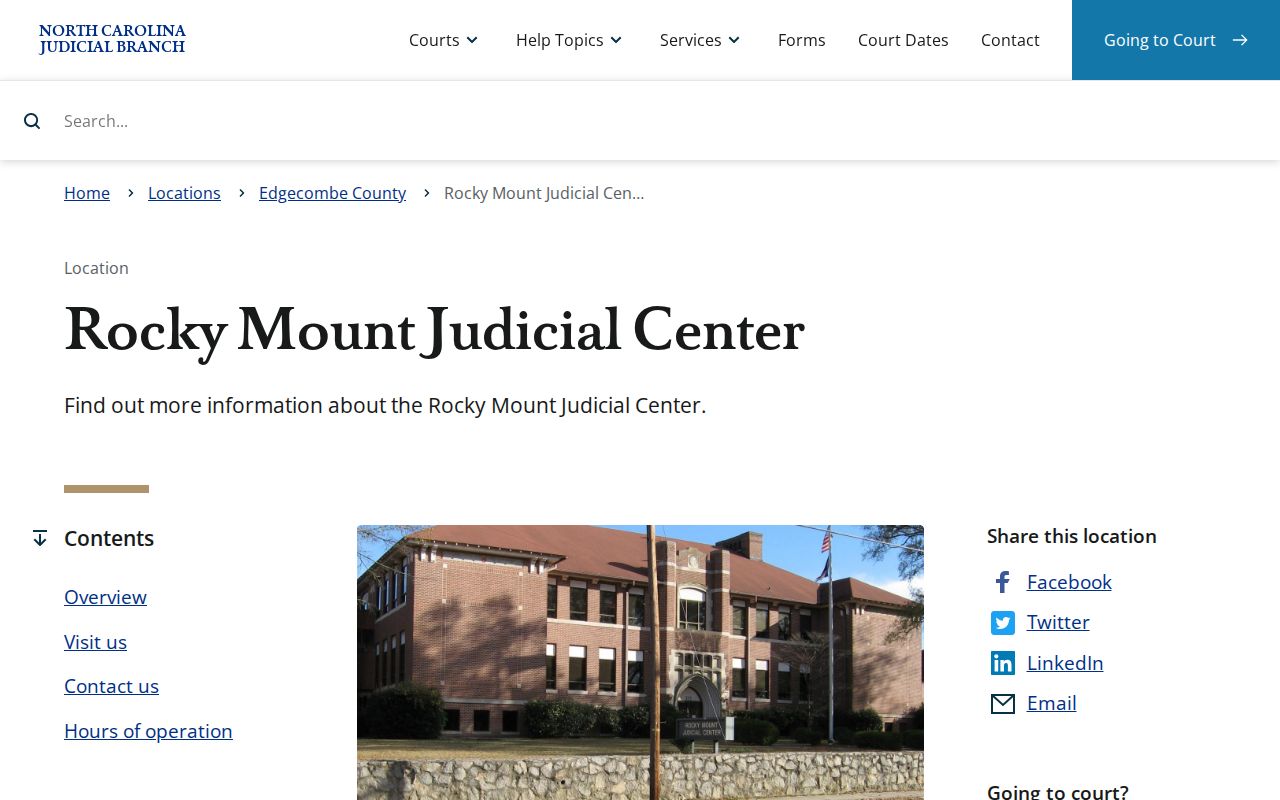
Here the search meets a confirmed Edgecombe clerk location in Rocky Mount.
Rocky Mount Court Docket Dates
Do not guess a court date from an old docket line. Use Portal Search Hearings and the Case Summary instead. Search Hearings returns hearing time and location. The Edgecombe criminal calendar works as a separate supplement. Near-term District Court questions go to the coordinator at (252) 206-3012. Superior Court uses (252) 206-3016.
| Case assignment | Shows whether the Rocky Mount matter is assigned in Edgecombe and the court context when recorded. |
|---|---|
| Case Events | Chronological entries that can show filings, issuance, returns, settings, orders, or dispositions. |
| Hearings | Current or recent hearing information when present; use Search Hearings for location and time. |
| Disposition | Recorded outcome or status when Portal has information to display. |
| Historic time | Older migrated events may carry a 12:00 a.m. conversion timestamp rather than the actual event time. |
A continuance postpones a hearing with court approval. It is not a dismissal. If a Rocky Mount hearing seems to have moved, check the newest event, run Search Hearings, read the county calendar, then call the right Edgecombe coordinator. Portal trouble never extends an appearance or payment deadline.
Rocky Mount Portal Case Codes
Every Enterprise Justice case number doubles as a quick Rocky Mount court docket check. The format packs a lot in. A two-digit year comes first. Then come case-type letters, a six-digit sequence, a dash, and a three-digit county identifier. The state's sample 21CR000003-910 shows the shape only. It is not a Rocky Mount case. For Edgecombe, that ending is -320.
- CR
- A code that indicates at least one criminal offense in the state’s case-number explanation.
- IF
- A code that indicates an infraction-only matter in that explanation.
- Case Summary
- Portal’s detailed public timeline, also called the Register of Actions.
- Case Event
- A dated docket entry such as a filing, setting, order, return, or disposition.
When the citation number is in hand, pick the Advanced Search Type for Citation Number in Portal. Keep the location set to Edgecombe for any Edgecombe-side matter. A citation lookup works at the county level. It does not create a city-level Rocky Mount docket. The Rocky Mount department directory lists the city agencies and confirms that separate municipal context.
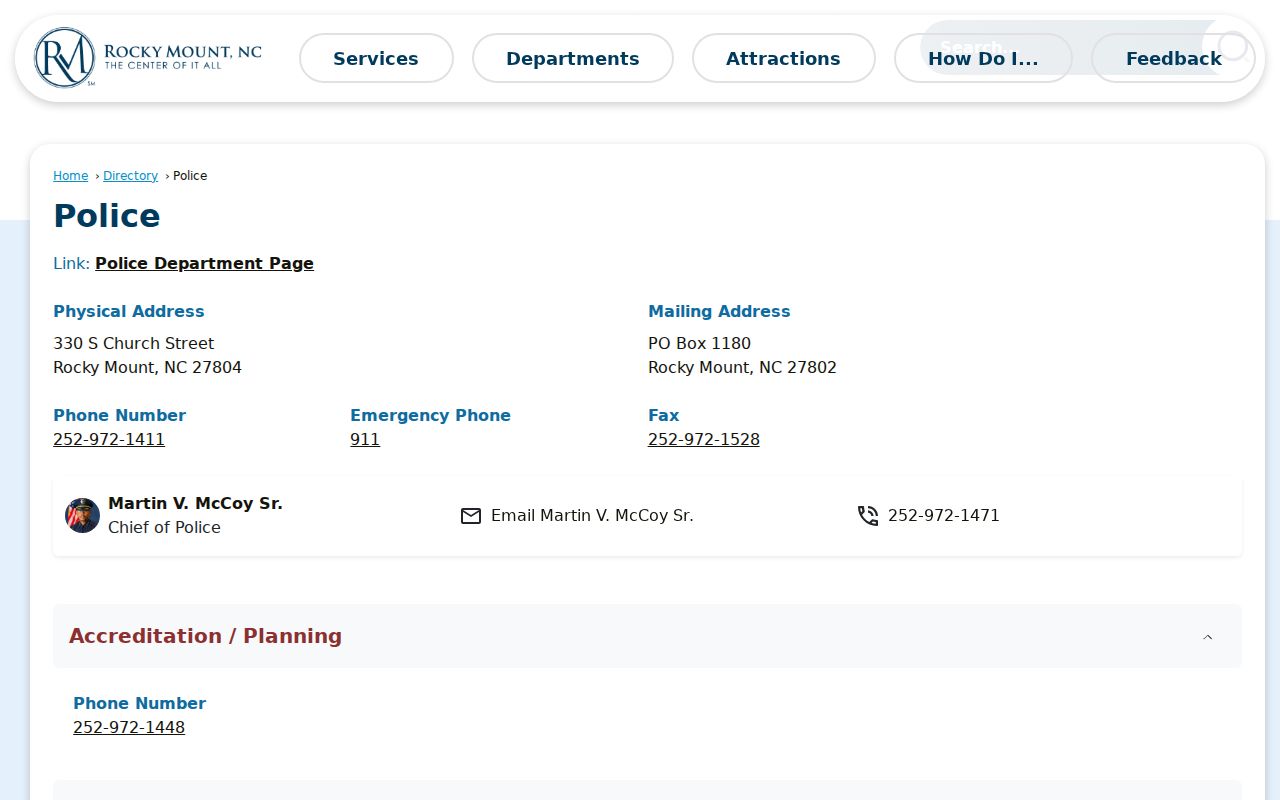
City contacts come next; the court docket stays in Portal.
Rocky Mount Traffic Court Docket
A Rocky Mount traffic ticket that reaches Edgecombe court is a District Court record. It is not a city municipal docket. Check the citation county first. Then run Portal's citation search type with the Edgecombe location filter. Add the Criminal or Infraction filters as they apply. Three tools confirm the hearing date. Portal Search Hearings, the Edgecombe criminal calendar, and the District coordinator form that chain for a Rocky Mount court docket traffic matter.
Some citations qualify for payment online, by mail, or in person before the court date. Payment does not fit every charge. It also never replaces an appearance that the court itself requires. The county clerk keeps the actual court case record. For payment and hearing details county-wide, see Edgecombe County traffic court records.
A Rocky Mount Police contact can help with an issuer question. It cannot confirm the current state-court hearing setting.
Where Rocky Mount Cases End Up
Where a Rocky Mount filing lands depends on the charge. Misdemeanors and traffic infractions generally start in Edgecombe District Court. Felonies go to the Superior Court docket. One office covers both trial divisions. The Edgecombe Clerk of Superior Court keeps that county-level access path. District Court appeals move up to Superior Court for a new trial, and a Nash-side Rocky Mount matter belongs with Nash court resources rather than this county's clerk channels.
Docket flow: Rocky Mount charging agency or city contact › Edgecombe District Court and Clerk › Portal Smart Search or Search Hearings › Superior Court only for an appropriate assignment or appeal.
That flow keeps the Rocky Mount court docket at city altitude. City government stays out of the courtroom. For a fuller picture of Edgecombe courts and records, start at the Edgecombe County court docket home.
Rocky Mount Police Versus Court Docket
Rocky Mount runs a Police Traffic Unit and a Police Records contact. Both are handy for agency matters. The Edgecombe Clerk keeps the court files. The difference matters in practice. An agency report is not a public Case Summary, hearing line, filed order, disposition, or clerk-certified copy. When the question is the court case, send the Rocky Mount court docket request to Portal or the clerk.
The addresses make the split plain. City Hall sits at 331 S. Franklin St., and Police sits at 330 S. Church St. Neither is the Judicial Center at 305 Cokey Rd. The Court Records help topic lays out the statewide clerk-terminal and copy framework. For the local government side, the City of Rocky Mount contact page lists the city's departments and offices.
Rocky Mount contact information helps separate municipal questions from the state court docket route.
Rocky Mount Court Docket No Match
A missing online docket has several common causes. The case may sit in a different county, the search terms may be off, the file may be older paper, the upload may lag, or law may bar access. Check the Edgecombe Location and the full case number first. For an Edgecombe file, the public terminal or the Edgecombe Clerk is the verified next step. A city agency record is not an Edgecombe court record. Neither is a Nash-side result.
Portal runs near real-time. It does not promise that every document appears immediately. The clerk can confirm a certified-copy route or flag a file problem.
Rocky Mount Court Docket Migration Times
Edgecombe joined eCourts in April 2025. Migration explains some odd timestamps. On an older Rocky Mount court docket, a Portal Case Event time of 12:00 a.m. may just be a migrated-record stamp rather than the real hearing or filing time. Read the date and the event description, then turn to Search Hearings or the coordinator for the current setting.
Public Access to Rocky Mount Court Records
Public access starts with the clerk. The clerk may provide records through Portal, a public terminal, or the file counter. G.S. 7A-109 keeps clerk-maintained files, dockets, and indexes open to inspection during regular hours. That applies unless law bars access. The statute has limits. It does not turn Portal into a complete record universe. A certified copy, an older file, a current payoff question, a missing image, or a document request all go to the Edgecombe Clerk.
Key Rules:
G.S. 7A-109 - Clerks maintain court files, dockets, and indexes and generally provide public inspection unless law restricts access.
G.S. 132-6.2 - An agency provides an existing record in its custody where practicable but need not create a new compilation.
G.S. 15A-146 - Dismissed or not-guilty criminal matters can have statutory expunction paths subject to conditions.
Creating a Portal account unlocks nothing closed. Sealed or confidential cases, juvenile records, unreturned warrants, and protected information stay protected. When a Rocky Mount case does not appear, check the Edgecombe assignment and the search terms. Then ask the clerk. A lawful reason to seek the record is required. The Judicial Branch court-costs help topic explains the fees the courts may charge.
Confirm copy and certification details with the Edgecombe Clerk. Ask about the specific Rocky Mount court record you need.